Netcom
- Case study
- ESP Provider
- Salesforce Service Cloud
Duration
Team
Market
My role
Year
€1.2M
Monthly financial exposure removed
+30%
Customer satisfaction within 90 days
2 /weeks
From scope to shipped agent MVP
1 /day
Discovery synthesis, down from three weeks
Design & Ideation of Self-Service Portal for a German Internet Service Provider
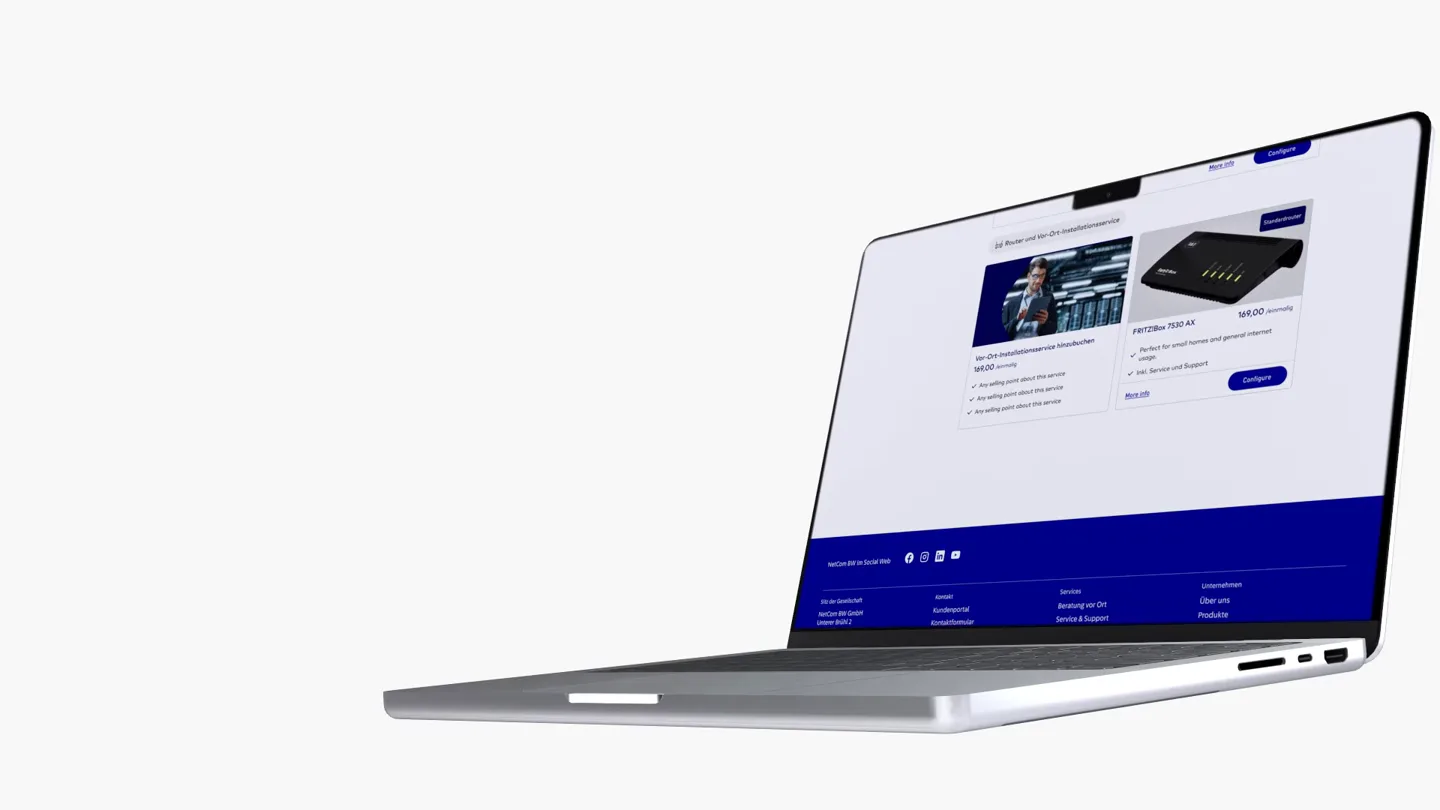
Product overview - Prologue
Netcom is a German internet service provider selling broadband and mobile to business and consumer customers. Signing of new customers required a visit by sales agents. Customer details were taken down during the visit with a company iPad, then processed into the system once the agent returned to the office, usually once a week. Every handover carried the risk of human error. Wrong names, wrong identification numbers, wrong contact details. Correction consumed office staff time, delayed activation, and in some cases killed the order.
The business put the cost from utilising sales reps, the slow rate of signing users, the delayed capture and cancellations at nearly €1.2 million a month. The brief was two distinct business problems. Stop the manual entry of details and speed up the current process. Allow business and retail customers to order their home and office internet from anywhere, and give them the tools to complete a contract online, order additional products and services, control their profile and track usage.
The process - Lean UX
- 01
Discover
I carried out two UX interview sessions. One with field agents and one with the office staff, then mapped end to end the order journey.
- 02
Simulate
I tested hypotheses with simulated users based on user interviews fed into four AI agents, two Claude and two Gemini, prompt-engineered as distinct customer personas and run in parallel against proposed interaction models.
- 03
Design & Confirm
Design the B2B and B2C user journeys for iPad and do rapid validation of designs and technical QA to ensure the product works as intended and developers have done the necessary testing.
- 04
Ship
Agent iPad MVP scoped, designed, tested and shipped in under two weeks to stop the losses at source. Cases received by the office at the moment of acceptance by the client.
- 05
Scale
Self-Service Portal architected as a full commerce journey on Salesforce Service Cloud, with a unified Figma design system serving both products.
- 06
Measure
Results tracked at 5, 20, 40 and 90 days. Error correction workflow retired. Call centre volume reduced to incidents and complex cases.
The challenge
I had to start from nothing. I did not have any prior research, design system or component library. At the same time we had delivery pressure from the client to stop the waste of money. I proposed to the team that we split the project, so we could provide a medium-fidelity product for agents to capture accurate information that reflects the system immediately. Ship a minimal agent tool at once to stop errors entering the system. Architect the larger self-service product in parallel. That framing gave stakeholders a risk-reduction narrative they could sign off in days rather than weeks, and it bought the time needed to design the portal properly.
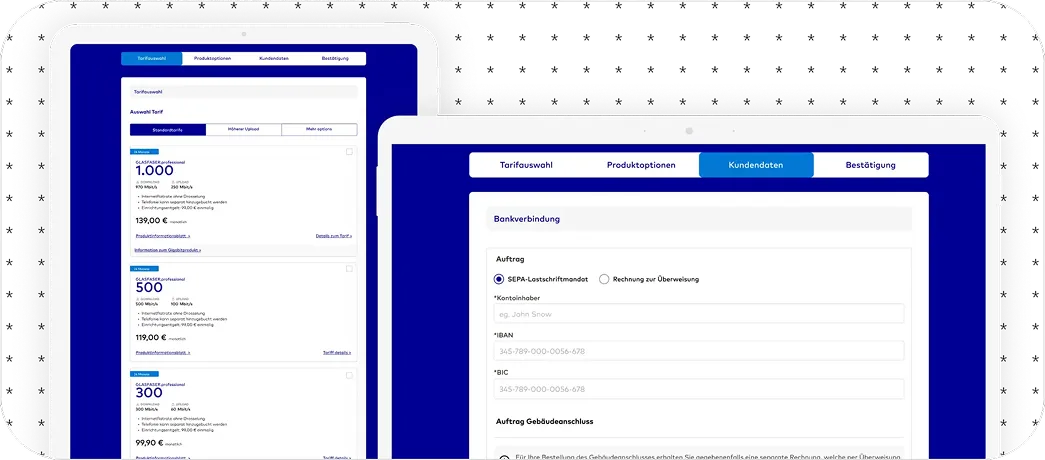
Problem statement
Netcom sold through people and served through people. Data captured by hand was re-entered by hand, so errors were structural rather than occasional. Customers who were fully capable of managing their own accounts had no route to do so, which pushed routine work into the call centre and kept the correction loop running.
Intentions
Locate where order data breaks
Mapping the order journey from doorstep capture through office re-entry to activation, to find the exact points where errors enter the system.
Understand what agents do on site
Interviewing field agents to learn how details are captured under time pressure, what gets skipped, and what gets fixed after the visit.
Understand the cost of correction
Interviewing the office team absorbing the correction workload to identify the most repeated failures and the time lost to each.
Goals
Remove double capture of customer data
Validate customer data at the moment of capture so nothing reaches the office unchecked.
Hand routine control to the customer
Account review, upgrades, downgrades, add-ons, settings and number porting completable without an agent.
Serve both products from one system
Shared tokens and components so identical business logic produces identical behaviour on the iPad app and the portal.
How did we get to know the users
This product has three distinctive groups of users. Netcom BW supplied the research done with customers, and I conducted interviews with sales agents and office support.
Field agents
Moderated group interview covering on-site capture, time pressure, and the workarounds used to keep a visit moving.
Support agents
Moderated group interview covering the correction workload, the most repeated failure types, and time lost per order.
Customers
The interview dealt with the overall installation procedure. How long it took and how they felt throughout the process.
What we found - Research insights
Sales agents
- Capture details on local storage while under pressure in customer premises.
- Have no way to check an identification number or address against the system during the visit.
- They can see only a limited number of clients per day. Their output is low and slow.
- Get pulled back into routine account changes that have nothing to do with new sales.
Support agents
- Capture every order manually, hours or days after the customer conversation happened.
- Discover errors once the customer is gone, so every fix needs a call back or a second visit.
- Spend a large share of the working day on correction rather than on new orders.
- Documentation is scattered, contracts are entered with mistakes, legal documents unorganised.
Customers
- Depend on an agent or the call centre for tasks they could complete themselves.
- Wait on activation delays caused by errors they never saw and cannot correct.
- Have no single place to review a contract, change a product, or add a service.
- Expect the self-service standard they already get from banking and retail.
Pain points
Manual capture
Details taken down during the visit were typed again in the office. Every transcription was a fresh chance to introduce an error.
Delaying of process
Mistakes surfaced after the visit, with the customer no longer present. Correction meant a call back, a second visit, or a failed order.
Agent dependency
Upgrades, add-ons and number porting all required a person. Customers capable of self-serving had no route to do it.
Lack of visibility
Indemnity forms, agreements and payments were held by agents, and the business had late visibility on all paperwork.
Proposed solution - UX design proposal
01Validate at source
Verify names, identification numbers and contact details while the agent is still at the address, so nothing reaches the office unchecked.
02Ship the stopgap first
A minimal agent application in under two weeks halts the loss immediately and buys the time needed to design the portal properly.
03Hand control to the customer
Account review, upgrades, downgrades, add-ons, settings and competitor number porting, all completable end to end without human intervention.
04Make the rules visible
Payments, agreements, upgrades and downgrades - all streamlined through the order process with clarity upon completion.
05Automate the paperwork
Order submission, legal documentation and contract generation built into the flow rather than handled afterwards by staff.
06One system, two products
Shared tokens and components so the iPad application and the portal behave identically wherever the business logic is identical.
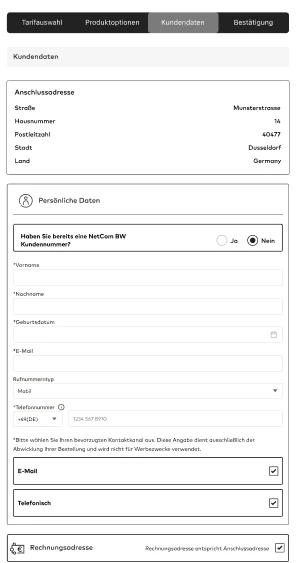
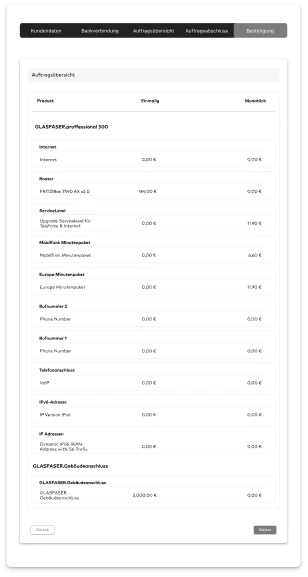
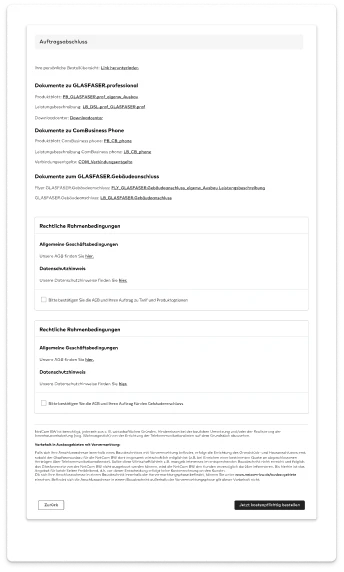
Low-fidelity wireframes
Flows were tested at low fidelity before any visual design started, covering the agent capture sequence and the customer ordering journey.
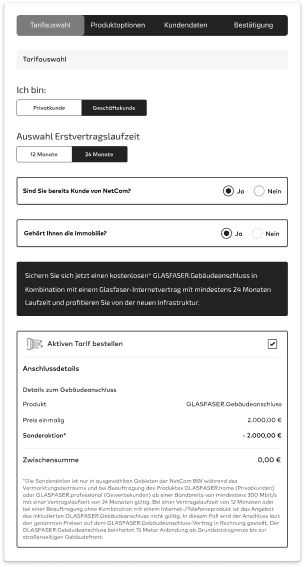
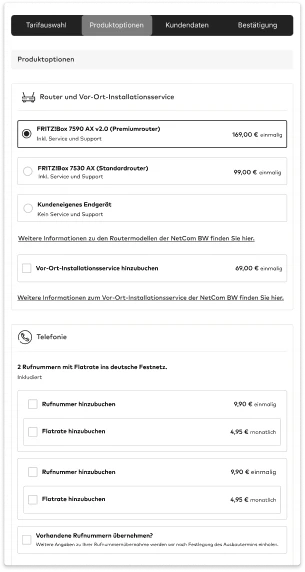
Prototype validation - Four AI agents on scripted journeys
| ID | Journey | Scripted use case | Checked | Result |
|---|---|---|---|---|
| T01 | First-time order | Select a tariff, configure hardware and reach checkout as a new customer | Visual, informational, functional | PASS |
| T02 | First-time order | Order internet package and select modem plus get to checkout | Informational, functional | FRICTION |
| T03 | First-time order | Review consent, legal documents and generated contract at checkout | Informational | PASS |
| T04 | Account opening | Activate the account from the post-purchase email and set a password | Functional | PASS |
| T05 | Account opening | Complete activation after losing the password or letting the link expire | Informational, functional | FRICTION |
| T06 | Authentication | Sign out from the account overview | Functional | PASS |
| T07 | Authentication | Sign back in and land on the page the session started from | Functional | PASS |
| T08 | Authentication | Recover a forgotten password from the sign-in screen | Informational, functional | FRICTION |
| T09 | Account review | Read contract details, tariff, minimum term and renewal date | Informational | PASS |
| T10 | Statements | Open the current statement and read the charge breakdown | Visual, informational | FRICTION |
| T11 | Statements | Find and download a statement from an earlier billing period | Functional | PASS |
| T12 | Disputes | Open a dispute against a single line on a statement | Informational, functional | BLOCKED |
| T13 | Disputes | Track the status of an open dispute and add evidence | Informational | FRICTION |
| T14 | Add-on purchase | Buy an additional service and confirm it against the active contract | Functional | PASS |
| T15 | Tariff change | Upgrade the tariff and see the price difference and start date | Informational | PASS |
| T16 | Tariff change | Downgrade the tariff and see eligibility rules and notice period | Informational, functional | BLOCKED |
| T17 | Portability | Port a number from a competitor and choose an activation date | Informational, functional | FRICTION |
| T18 | Settings | Update personal data, contact details and payment method | Functional | PASS |
- PASSJourney completed without intervention
- FRICTIONCompleted, but with a visual or informational gap
- BLOCKEDAgent could not finish the journey
Product scope
Platform
- Product logic
- Automated submission
- Salesforce Service Cloud
Account and identity
- Account overview
- Contract details
- Personal data
- Settings
Ordering
- Product catalogue
- Upgrades
- Downgrades
- Add-ons
- Checkout
Portability
- Number porting
- Provider switch
- Activation dates
Agent application
- On-site capture
- Real-time validation
- Order submission
Compliance
- Legal documentation
- Contract generation
- Consent
Design - Design system
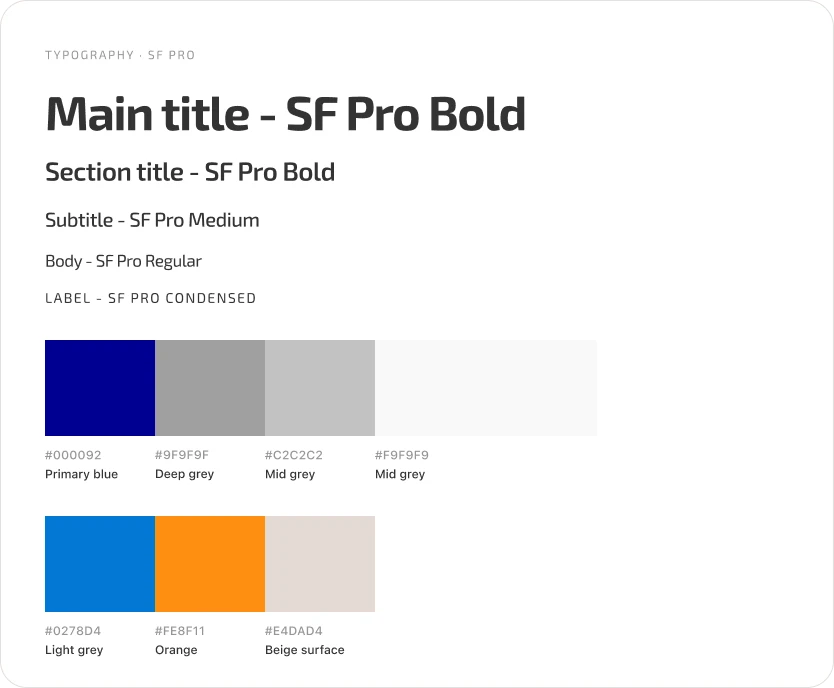
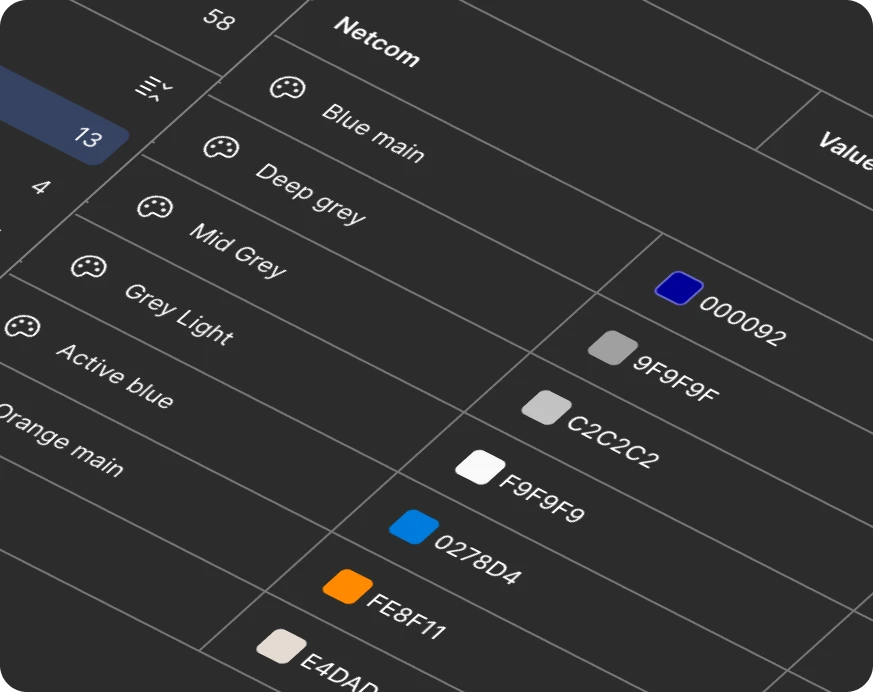
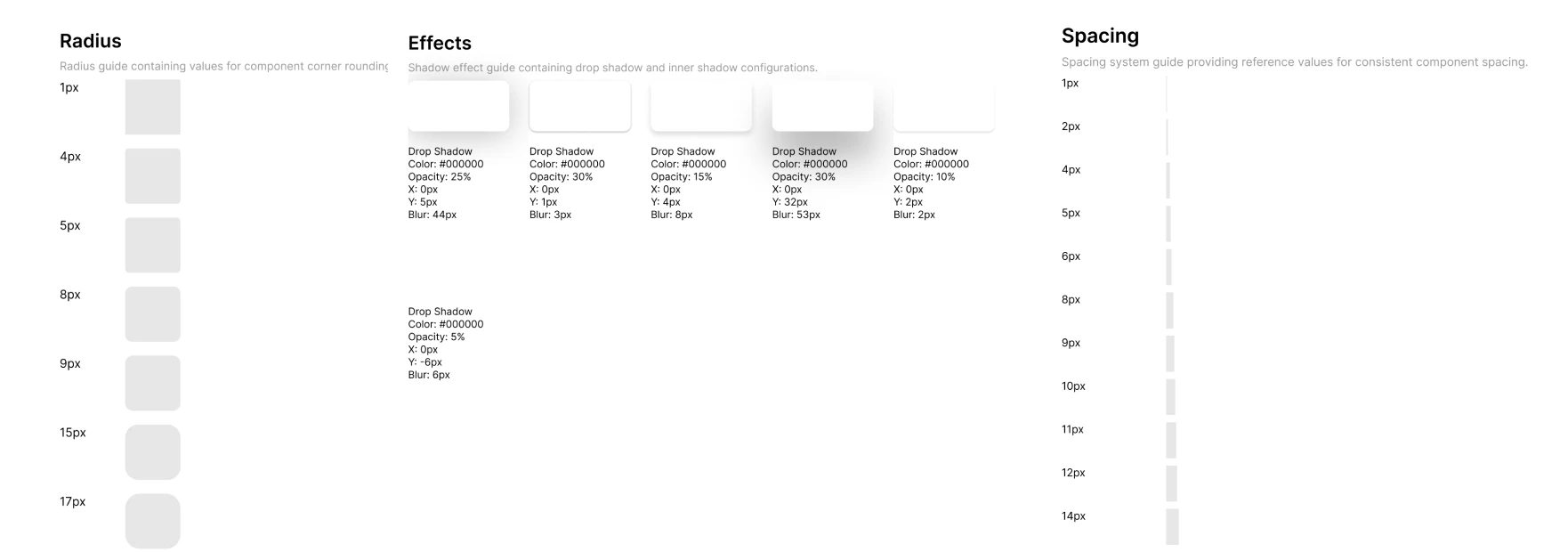
Netcom had no design system and no component library. I built one in Figma using design tokens and variables, then handed it to engineering as tokens consumed directly in code. One source of truth served both the agent application and the portal, so shared business logic produced shared behaviour without duplicating design or engineering work.
Results - Final design
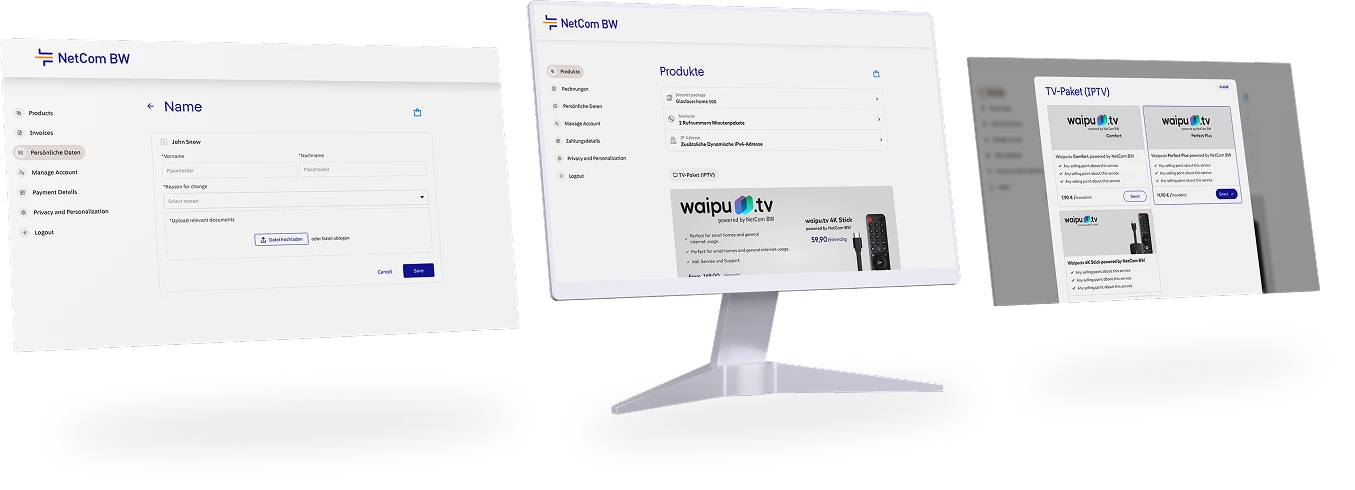
Self-Service Portal. Account review, product changes, add-ons, settings and number porting completable by the customer in a single interface.
Outcome and business value
Quantifiable
€1.2 million of monthly financial exposure removed. Data entry errors eliminated at source and the correction workflow retired within weeks of MVP launch.
30 percent increase in customer satisfaction within the first three months of portal launch.
Agent MVP scoped, designed, field tested and shipped in under two weeks.
Discovery synthesis compressed from a three-week cycle to a single day using multi-agent simulation.
Qualitative
Call centre load fell as routine account management moved to self-service, leaving incidents and complex cases with the team.
Full commerce automation. Order submission, legal documentation, product management and number porting now completed by the customer.
The two-week MVP established design credibility with the business and the Salesforce product team, which sped up collaboration on the portal build.
The design system gave engineering the autonomy to ship consistently across both platforms without design as a bottleneck.